
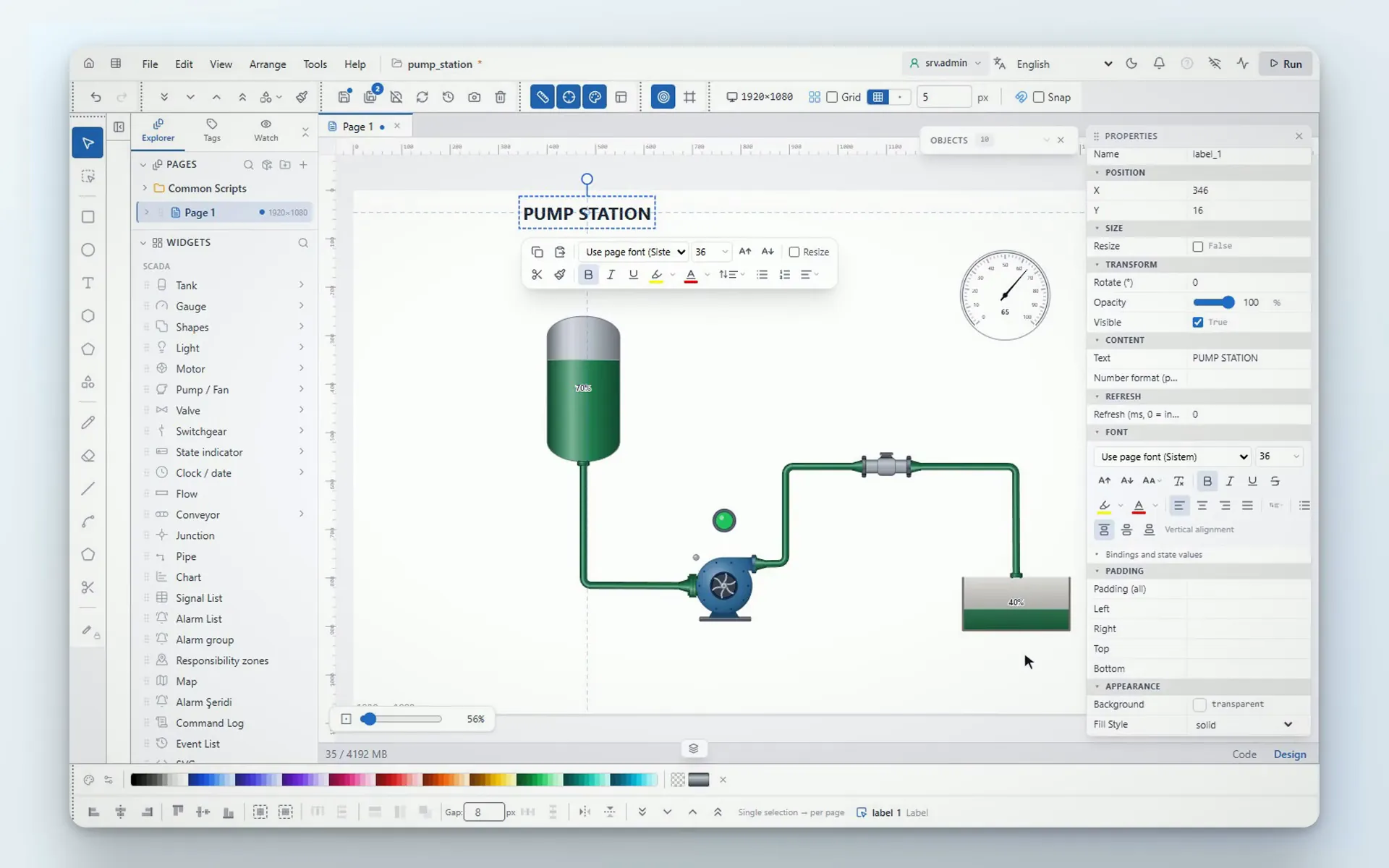
With its web-based SCADA editor, YTCC simplifies your design and development work.
Build with YTCC
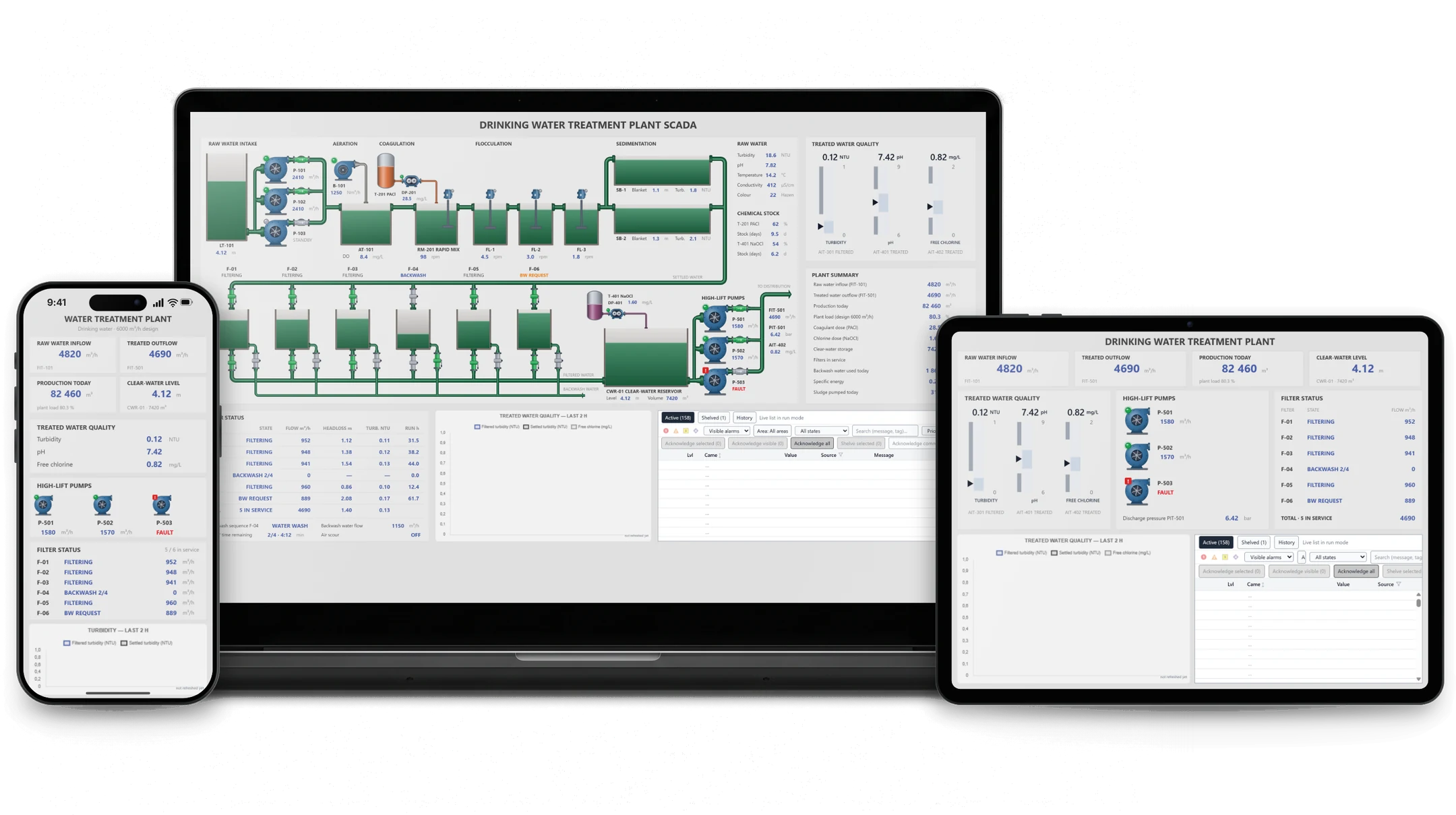
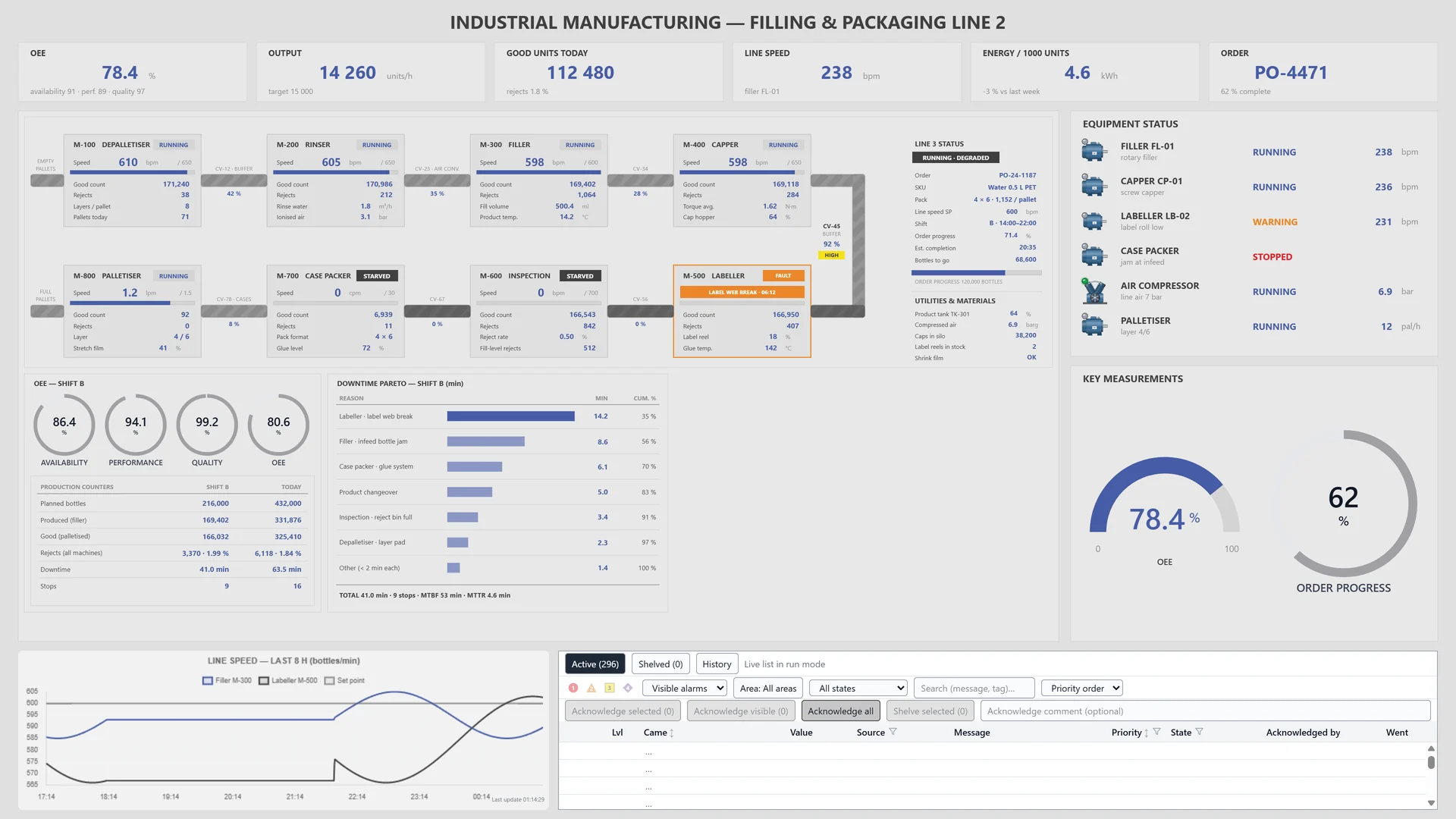
Get advanced SCADA screens tailored to your industry. The rich web editor lets you create the design you have in mind with ease.
All settings in one place
Manage signals, devices and drivers in the YTCC Editor, review your changes and apply them in a single step.
Connect to your devices
- Modbus TCP
- Siemens S7
- OPC UA
- IEC 60870-5-101
- IEC 60870-5-104
- IEC 61850 (MMS)
- DNP3
- BACnet/IP
- MQTT
- SNMP
- Beckhoff ADS
- EtherNet/IP
Talk to your PLCs, RTUs and IEDs over common industrial protocols.
Why YTCC?
Engineering in the browser
The editor runs in the browser; build screens, settings and scripts without installing another program.
On your own server
Install YTCC on your own server and keep your data with you.
Advanced symbol library
Drag pumps, valves and gauges onto the screen, and build parameterized symbols of your own.
Alarm and command history
Export alarm history to Excel or CSV and the command log to Excel.
Design with AI
Describe the screen you want, and an AI tool draws it in YTCC over MCP.
Multilingual interface
Use the interface in several languages and pick the working language in the project settings.

Design it and see it at once
Run the screen you design in the same window and test it as you go. YTCC gives you practical tools for design and testing.
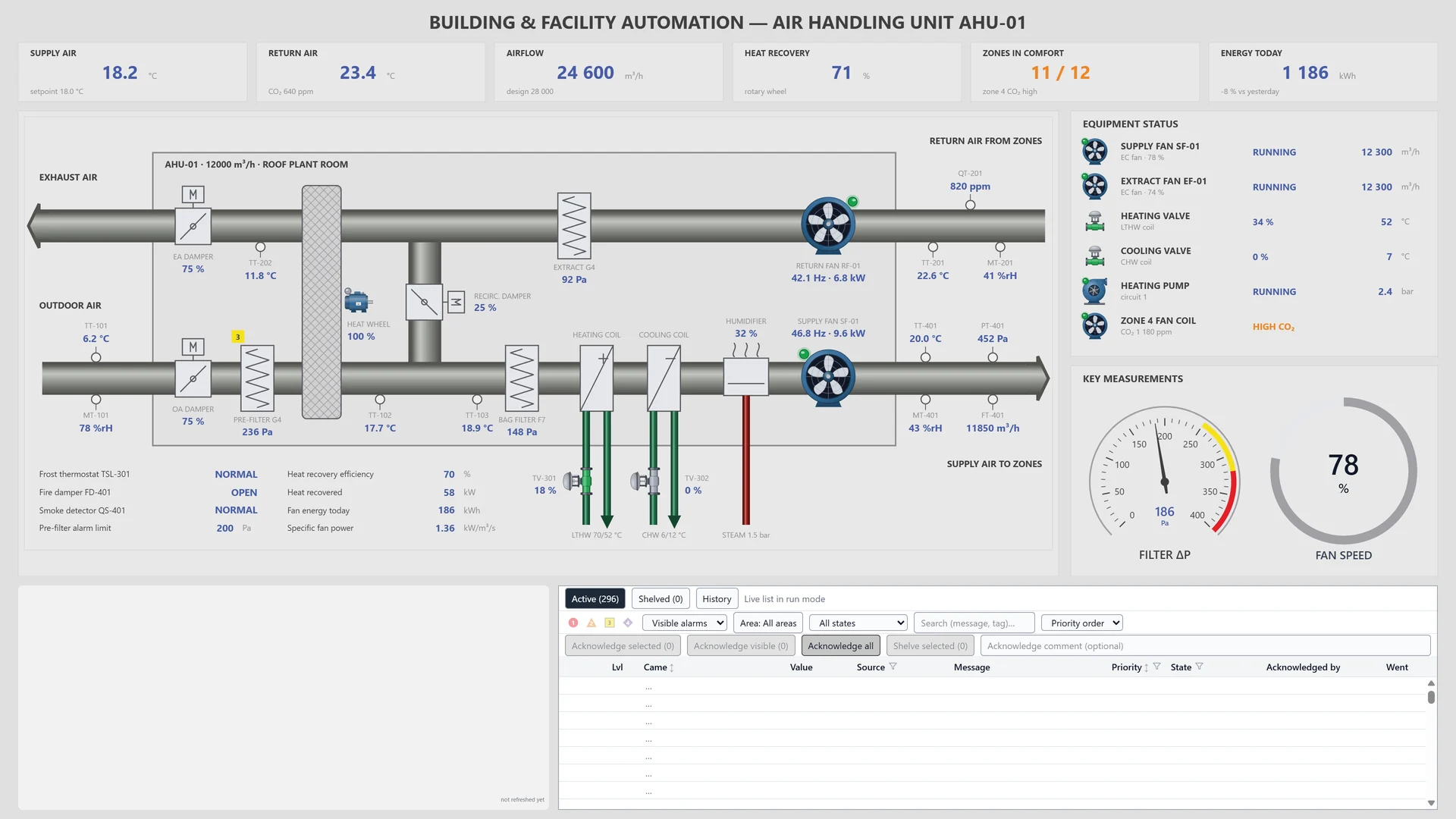
Custom HMI design
Design the HMI screens each process needs, exactly the way you want them.
YTCC – YTControl Control Center
Your trusted control center for energy and industrial SCADA.
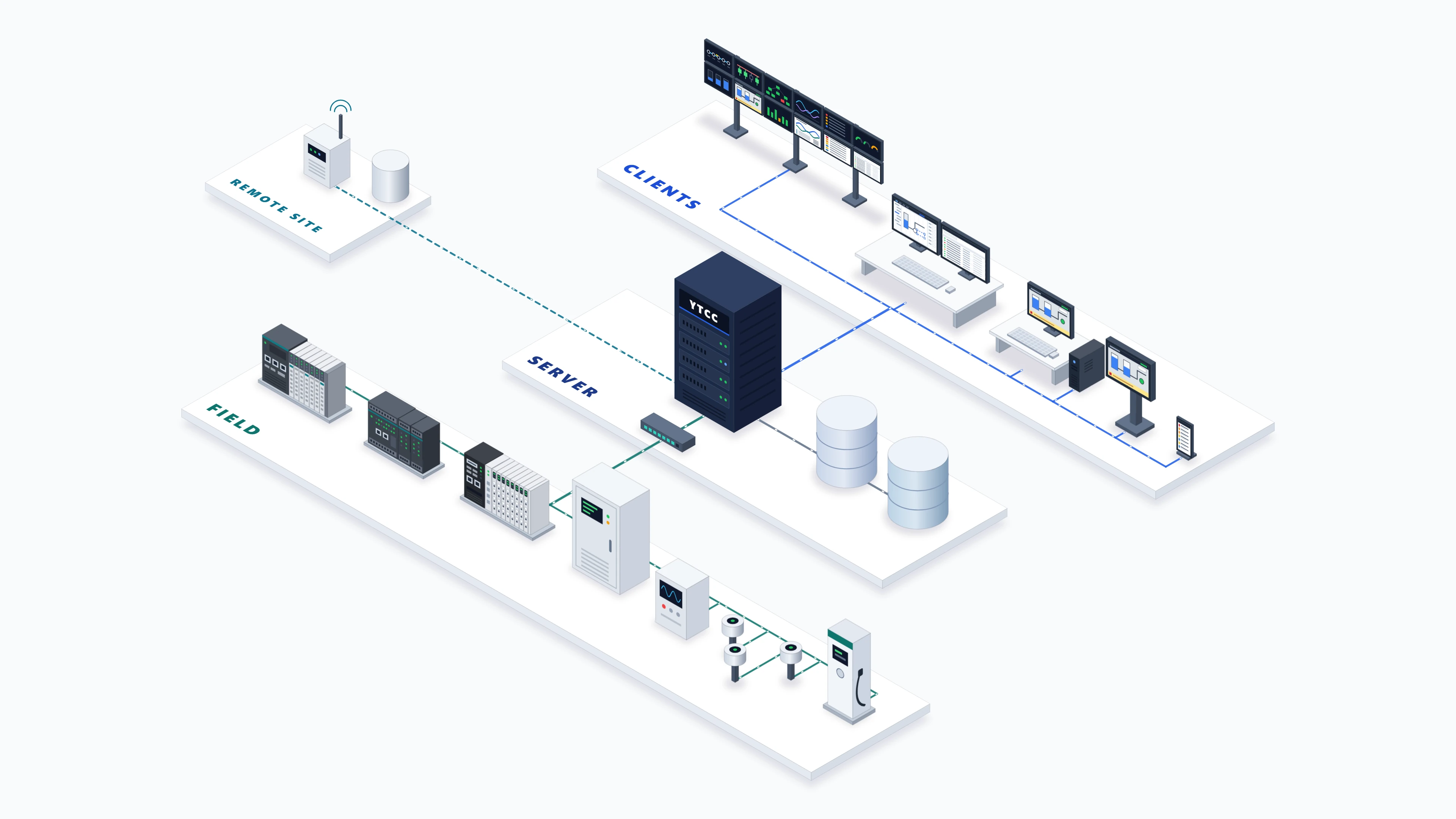
System architecture
YTCC lets you view and store the data from your field devices and follow it through alarms. Design advanced screens in the Web Editor and control your field devices from them.
- One driver can connect to several devices
- Design for any device size
- A crashed driver restarts by itself
Do even more with YTCC
-
Shelving and acknowledgement
Acknowledge alarms one by one, by group or all at once, and shelve them with a reason when needed.
-
Script versions
Go back to earlier versions of a script and test it before you save.
-
Bulk editing
Generate signals from types and bulk import them with Excel or CSV.
-
Project backup and transfer
Back up the project to a single file and move it to a new server.
-
System signals
Watch server, disk and driver status on screen.
-
Internal signals
Create your own values with expressions, counters, running hours and timers.
-
Command handling
No command goes out while the link is down, and a failed command raises an alarm.
-
3D environment support
Put your 3D model on a screen and bind its parts to signals.
YTCC. Your trusted control center for energy and industrial SCADA.
Download YTCC and build your first screen.