Alarm management 4 min read
Alarm floods: why they happen and how to manage them
One fault can set off hundreds of alarms within minutes. The common causes of alarm floods, and the ways to bring the alarm load back to what an operator can handle.
Published:
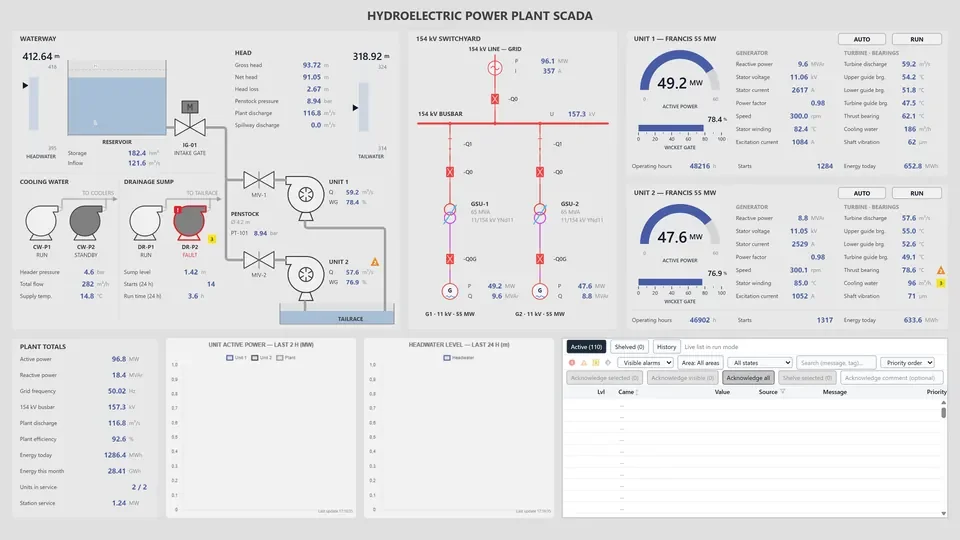
A compressor trips. Line pressure drops, a flow alarm comes in, the pumps downstream shut down and each one raises its own alarm. Within a few minutes the operator’s list holds hundreds of rows, and the first alarm, the one that pointed at the cause, has scrolled out of sight. This is an alarm flood.
What is an alarm flood?
An alarm tells the operator about an abnormal condition that needs action within a certain time. An alarm flood is more alarms, in a short time, than an operator can read and assess. A threshold widely used in alarm management guidance treats more than ten alarms in ten minutes for one operator as a flood. The load aimed for in normal operation is far lower: around one alarm every ten minutes on average.
Floods usually happen during a fault or a process upset, which is exactly when the operator’s decisions matter most. The investigation of the 1994 explosion at the Milford Haven refinery in Wales reported that the operators faced hundreds of alarms in the final minutes and could not pick out the ones that mattered. Alarm management has been treated as an engineering discipline of its own ever since.
Why floods happen
A flood rarely comes from a single mistake. It grows out of small design decisions that pile up over the years.
- Chattering alarms: A measurement hovering around its setpoint switches the alarm on and off many times within seconds. One point without a deadband or a delay can fill most of the list.
- Standing alarms: Alarms that have been active for days, the ones everybody says are “always like that”. They tell the operator nothing new, but they hide the alarms that do.
- Consequential alarms: One root cause raises a separate alarm on every piece of equipment that depends on it. When a feeder is lost, every device behind it reports communication, flow and status alarms at once.
- Alarms that are not alarms: Status information, event records or maintenance reminders configured as alarms. If the operator has nothing to do, it is not an alarm.
- Alarms blind to the operating state: Low-flow and temperature alarms that are expected while equipment is under maintenance or a plant is starting up.
- Priorities that mean nothing: When most alarms are “high” priority, the priority tells the operator nothing.
How to manage them
1. Write an alarm philosophy. Define in one document what counts as an alarm, how priorities are set, who approves alarms and how the alarm load is measured. Every later decision rests on it.
2. Rationalize. For each alarm, ask what causes it, what the consequence is, what the operator should do and how much time they have. If there is no operator action, remove the alarm or turn it into an event record. Set the priority from the severity of the consequence and the time available to respond.
3. Stop chattering at the source. A deadband (hysteresis) and on or off delays remove most repeats caused by measurement noise. Tune them point by point, to how each measurement behaves.
4. Put rules around suppression. The alarm of a faulty sensor can be shelved or taken out of service for a while. That should be an action with a written reason that reverts on its own when its time runs out; otherwise the suppressed alarm is forgotten.
5. Account for the operating state. Alarms that are expected while a unit is shut down or starting up can be suppressed by rules for that state. Grouping related alarms also helps the operator focus on the root cause.
6. Measure and repeat. Track the number of alarms per ten-minute period, the share of time spent in a flood, the points that raise the most alarms and the number of standing alarms. In most plants a handful of “bad actor” points produce a large part of the alarm load, so starting with them gives the quickest results.
Alarm management in YTCC
The YTCC alarm engine has multi-level thresholds, hysteresis, delays, four acknowledgment modes, and chattering and flood detection. Operators acknowledge alarms one by one, all at once or by group, and can silence them. Alarms can be shelved, with a mandatory reason and a time limit, or taken out of service. Alarm groups are rule based, can be nested and come with group counters. When communication with a device is lost, one alarm is raised per device. The alarm history can be downloaded as Excel or CSV for analysis.
The Alarm Management page has the details.
Sources
- From alarm floods to actionable alerts: A practical guide to alarm rationalization in process plants (Processing Magazine)(opens in a new tab)
- Alarm Management, Technical Bulletin, May 2022 (NIH Office of Research Facilities)(opens in a new tab)
- The explosion and fires at the Texaco Refinery, Milford Haven, 24th July 1994 (HSE)(opens in a new tab)
- Alarm management (Wikipedia)(opens in a new tab)