Fundamentals 8 min read
What is SCADA and how does it work?
SCADA collects data from field devices and gives a control center monitoring, alarms, history and remote control. Its parts, how it works and where it is used.
Published:
SCADA (supervisory control and data acquisition) is a system that collects data from PLCs, RTUs and other devices in the field, shows that data in a control center as screens, alarms and history, and sends the operator’s commands back to the field. Power grids, water networks and pipelines use it to watch assets spread over a wide area from one place.
What does SCADA do?
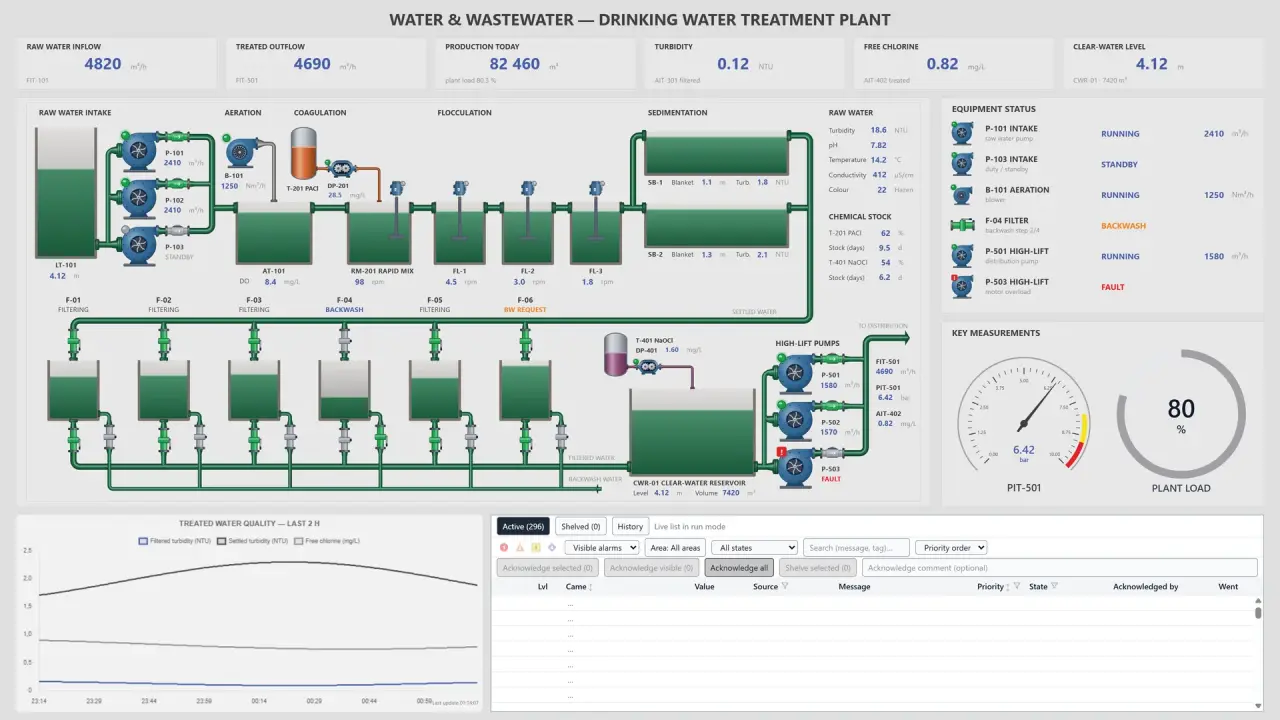
A water utility has pumping stations, reservoirs and valve chambers all over town. Without SCADA, someone has to drive out to a station to check on it. In the control center, the SCADA operator sees reservoir levels, running pumps and line pressures on one screen, and can stop a pump from there.
A SCADA system does four jobs:
- Monitoring: It shows measurements and equipment states from the field on screen.
- Control: It passes the operator’s commands, such as starting a pump, closing a valve or changing a setpoint, to the device in the field.
- Alarms: It warns the operator when a value crosses a limit or a device stops responding.
- History: It stores measurements, alarms and commands with their time, so you can look back later.
The parts of a SCADA system
SCADA is built in layers that run from the field to the control center, with the process at the bottom and the operator at the top.
Sensors and actuators
Sensors measure level, pressure, temperature and flow. Pump motors, valve actuators and circuit breakers are actuators: they turn a command into physical movement. SCADA usually reaches them through the controller they are wired to.
PLCs, RTUs and IEDs
A programmable logic controller (PLC) controls a machine or a process in the field. A remote terminal unit (RTU) collects data at remote sites such as substations and pumping stations and reports events to the control center with time stamps. Field devices with their own processor, such as protection relays and power meters, are called intelligent electronic devices (IEDs). Our article on SCADA vs HMI vs PLC vs DCS explains how these differ from SCADA itself.
Network and protocols
Field devices connect to the control center over fiber, copper, radio or cellular links. The device and SCADA have to speak the same protocol. Factories often use Modbus TCP, Siemens S7 and EtherNet/IP. Power and water networks use IEC 60870-5-104 and DNP3, substations IEC 61850, and buildings BACnet/IP. OPC UA presents data from different vendors’ devices in one common model. Our article on S7 PUT/GET access shows the settings an S7-1200 or S7-1500 needs before SCADA can read its data.
The SCADA server
The server in the control center does most of the work. Communication drivers poll the devices or receive the changes they send. The alarm engine checks each new value against its limits. The historian writes measurements and events to a database. The server also decides who sees which screen and who may send commands.
Operator screens (HMI)
The screens an operator works with are the human-machine interface (HMI). They show the plant’s layout, measured values, equipment states and the alarm list. A good screen keeps the normal state quiet and makes the abnormal one stand out. Our article on simple SCADA screen design covers how to lay screens out.
Engineering tool
Engineers build the screens, signal lists, alarm limits and device connections in an engineering tool. In some systems that is a program installed on a separate computer; in others it opens in a browser.
How does SCADA work?
A measurement travels from the field to the screen like this:
- The sensor measures, and the PLC or RTU reads the value and keeps it in its memory.
- The SCADA driver polls the device at set intervals, or the device sends the changed value on its own. IEC 60870-5-104 and DNP3 report events with the device’s own time stamp.
- The server writes the value to its signal, marks its quality, checks it against the alarm limits and stores it in the historian.
- Every screen that shows that signal receives the new value.
A command goes the other way. The operator presses “Stop” on a pump. The server checks that this operator may send the command, the driver passes it to the device in the device’s protocol, and the PLC stops the pump. The server logs the command with the user who sent it and the result.
Time-critical control stays in the field. The logic that stops the pump when the reservoir is full lives in the PLC program and keeps running if the link to SCADA drops. That is why SCADA’s control is called supervisory: it sends setpoints and commands and watches what happens.
Signals, alarms and history
Every value SCADA reads from the field or writes to it is a signal, often called a tag or a point. “Reservoir 1 level”, “Pump 2 running” and “Open valve 3” are three separate signals. Each one has a name, an address in the device, a unit and a scale. SCADA also keeps the value’s quality. When a device stops responding, the quality of its values drops and the operator can see that the number on screen is out of date.
An alarm means a signal has moved into a state that needs the operator’s attention: a level crosses its high limit, a pump reports a fault, a device stops responding. Alarms are listed by priority, the operator acknowledges them, and the system logs each step. Badly set limits can make one fault raise hundreds of alarms at once, which we look at in our article on alarm floods.
The historian is the database that stores measurements and events with their time. You turn to it to see what happened before a trip, how long a pump has run, or how today’s consumption compares with yesterday’s.
Where is SCADA used?
SCADA started in infrastructure spread over wide areas:
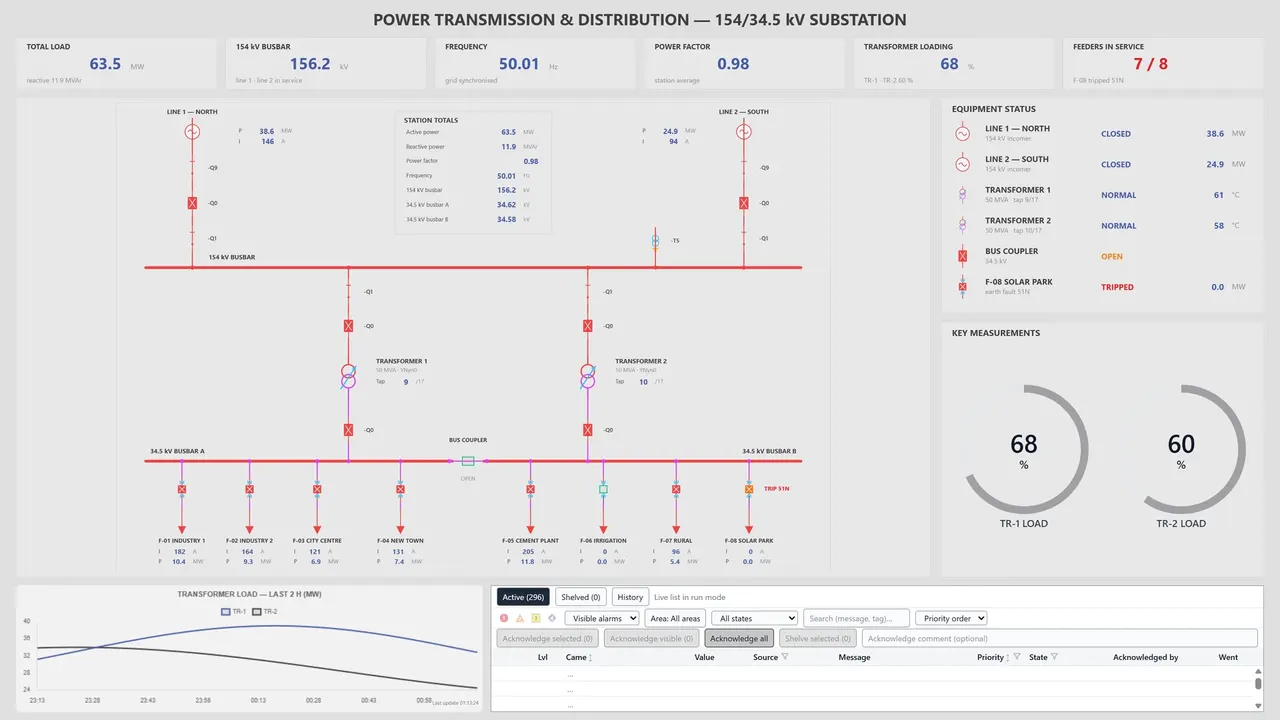
- Power transmission and distribution: substations, circuit breakers, line measurements.
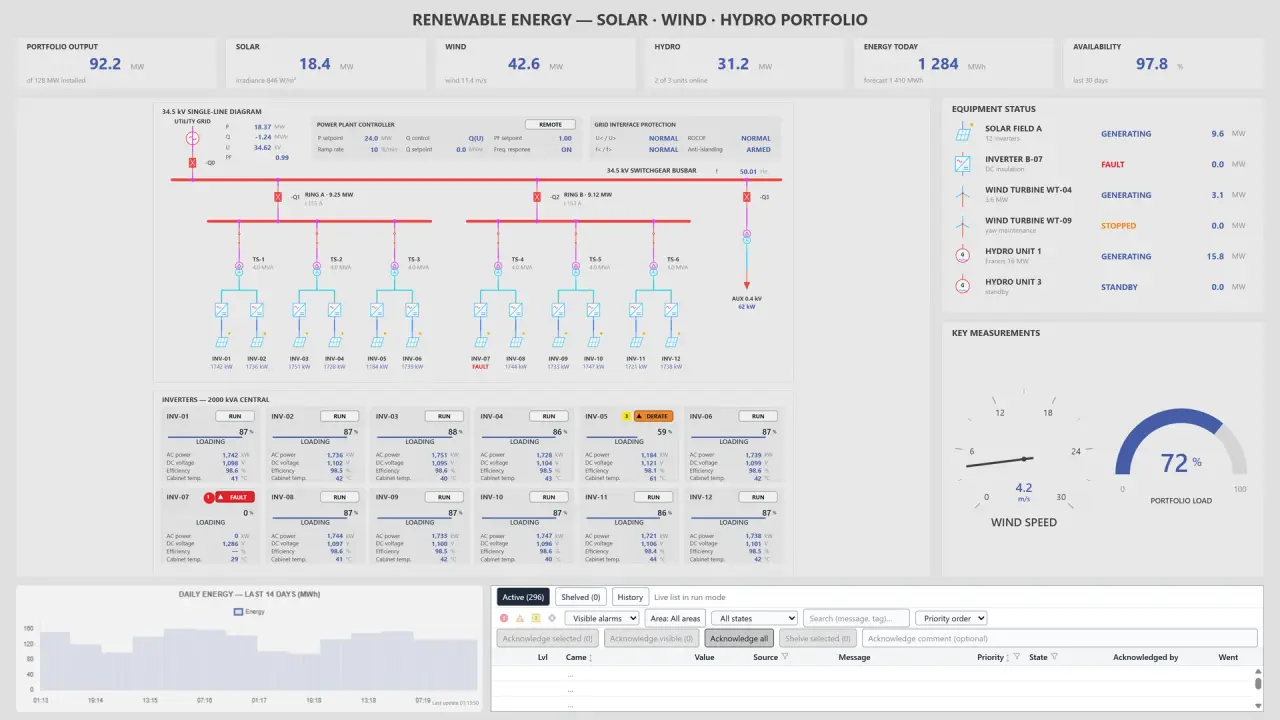
- Renewable energy: solar, wind and hydro plants.
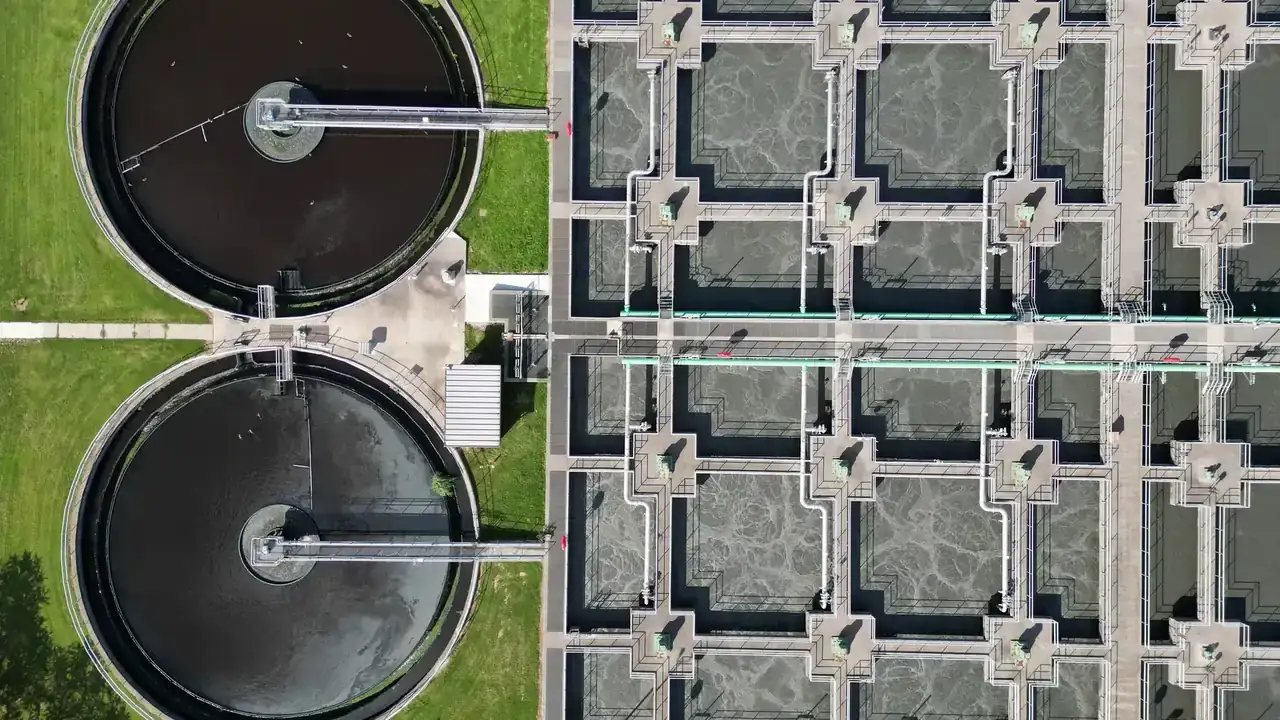
- Water and wastewater: treatment plants, pumping stations, reservoirs and network pressures.
- Oil and gas: pipelines, metering stations and tank farms.
- Agriculture and irrigation: irrigation pumps, canals and valves.
SCADA now runs inside single sites too. It watches production lines in factories, heating, cooling and energy use in buildings, and ventilation and lighting in road tunnels. See the Industries page for examples by sector.
From installed clients to the browser
The first SCADA systems ran on one large computer and used the vendor’s own communication protocol. Later the work was split across several computers on a local network, and then came standard networks such as Ethernet and IP and open protocols anyone could implement. For many years, operator and engineering stations needed their own client programs. Today some systems open their screens and engineering tools in a browser, with no program to install on the client. Our articles on web-based SCADA and web-based SCADA architecture cover this shift in detail.
SCADA security
SCADA can send commands to the field, so it needs protecting. NIST’s guide to operational technology security (SP 800-82) recommends separating the control network from the corporate network and the internet in layers, giving each user only the access their job needs, and logging access. When you set up SCADA, decide early which network segment the server sits in, how remote access will work and who may send commands. We list the other points to check when you choose the software in How to choose SCADA software.
Frequently asked questions
What does SCADA stand for?
Supervisory control and data acquisition. “Supervisory” refers to the level of control: SCADA supervises the controllers in the field and sends them commands, while the controllers run the process.
Is SCADA software or hardware?
SCADA is the name of a system that includes both. The software runs on a server in the control center. The PLCs, RTUs, sensors and network in the field are the hardware side. “SCADA software” usually means the server software, the operator screens and the engineering tool.
What is the difference between SCADA and a PLC?
A PLC controls one machine or process in the field. SCADA collects data from many PLCs and other devices, watches them all from one place and sends them commands. Our SCADA vs HMI vs PLC vs DCS article compares them in detail.
Who uses SCADA?
Operators in the control center watch the plant, acknowledge alarms and send commands. Automation engineers build the screens, signals and alarm limits and update the system when something changes in the field. Operations and maintenance teams use the historian to look into faults and how equipment has been running.
In YTCC
YTCC is a SCADA platform that runs in a web interface and has a core written in Rust. It collects data from field devices and lets you design and operate screens, alarms, historian and server scripts from a web browser. Each driver and service runs as a separate process. The control programs keep running in the field devices.
YTCC talks to PLCs over Modbus TCP, Siemens S7, EtherNet/IP, Beckhoff ADS and OPC UA, and to RTUs over IEC 60870-5-104, IEC 60870-5-101 and DNP3. The full list is on the Platform page. You design screens in the browser with the Web Editor, with no client installation besides the browser. When a device stops responding, YTCC raises one alarm for that device, and you can organize alarms in rule-based, nested groups (Alarm Management). Permissions are checked on the server, and every command is logged with the user who sent it.
The server runs on Windows 10/11 (x64) and Linux (x86-64). 80 CU or less is free, commercial use included (Pricing). To try YTCC yourself, download it.